AZpublic-preview-azure-stream-analytics-allows-creation-of-new-sql-tables-and-schema-mismatch-detection-for-existing-sql-tables: Public preview: SQL DB output connector improvements in Stream Analytics

Published . Last updated .

Microsoft Azure update AZpublic-preview-azure-stream-analytics-allows-creation-of-new-sql-tables-and-schema-mismatch-detection-for-existing-sql-tables.

Azure update ID
AZpublic-preview-azure-stream-analytics-allows-creation-of-new-sql-tables-and-schema-mismatch-detection-for-existing-sql-tables
Services
Azure Stream Analytics
Tags
Features

Release overview

Release status
In preview
Public preview
July 2022
Product categories
Analytics, Internet of Things

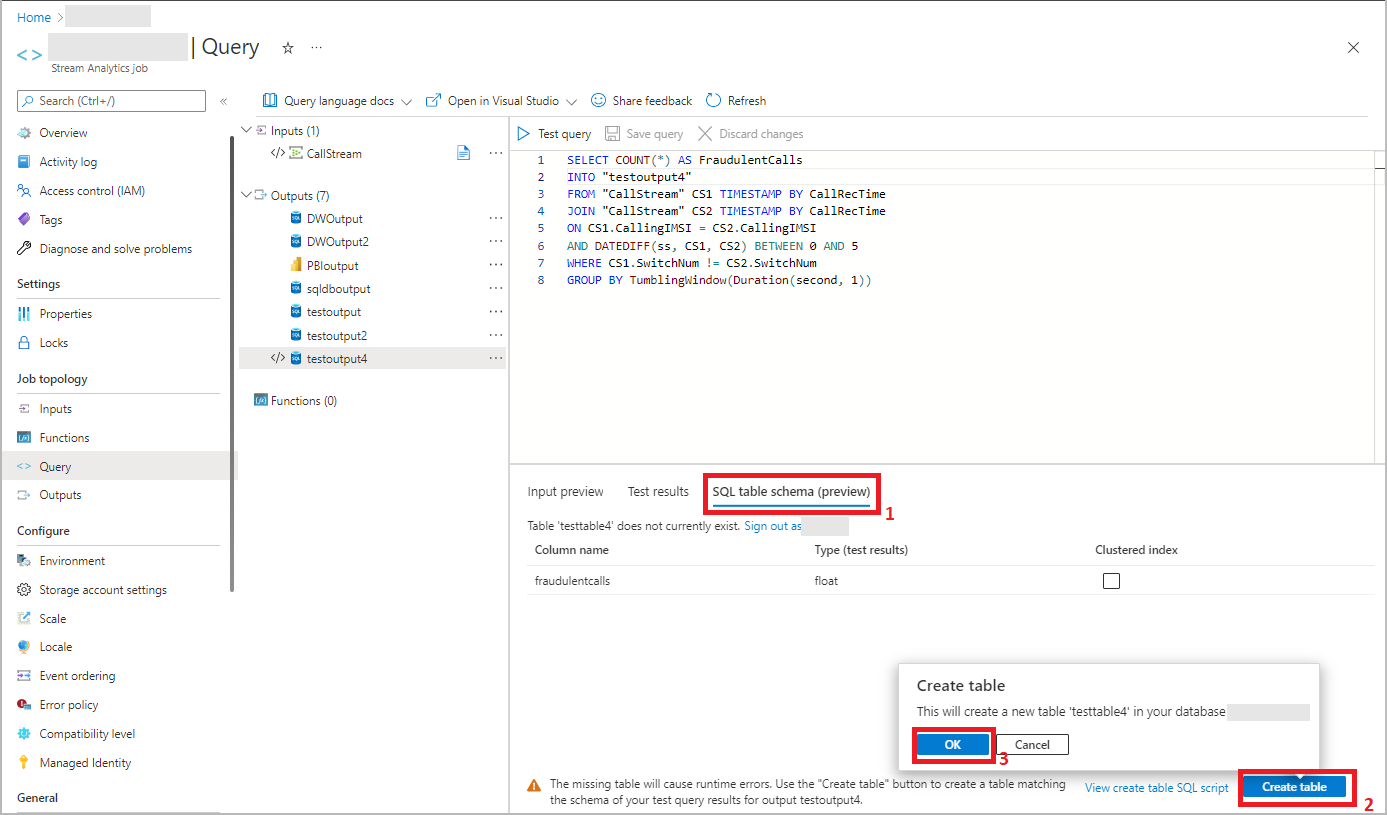
You can now configure your Azure Stream Analytics job to write to a table in your Azure SQL Database that hasn't yet been created. You have to do the following steps:

  1. Make sure that there is incoming streaming data in your Azure Stream Analytics job
  2. Write your Stream Analytics query (or use the existing template of Select *)
  3. Test your Stream Analytics query
  4. Select "Create table" - Stream Analytics will use the schema from Step 3 to create a new table in your SQL Database.


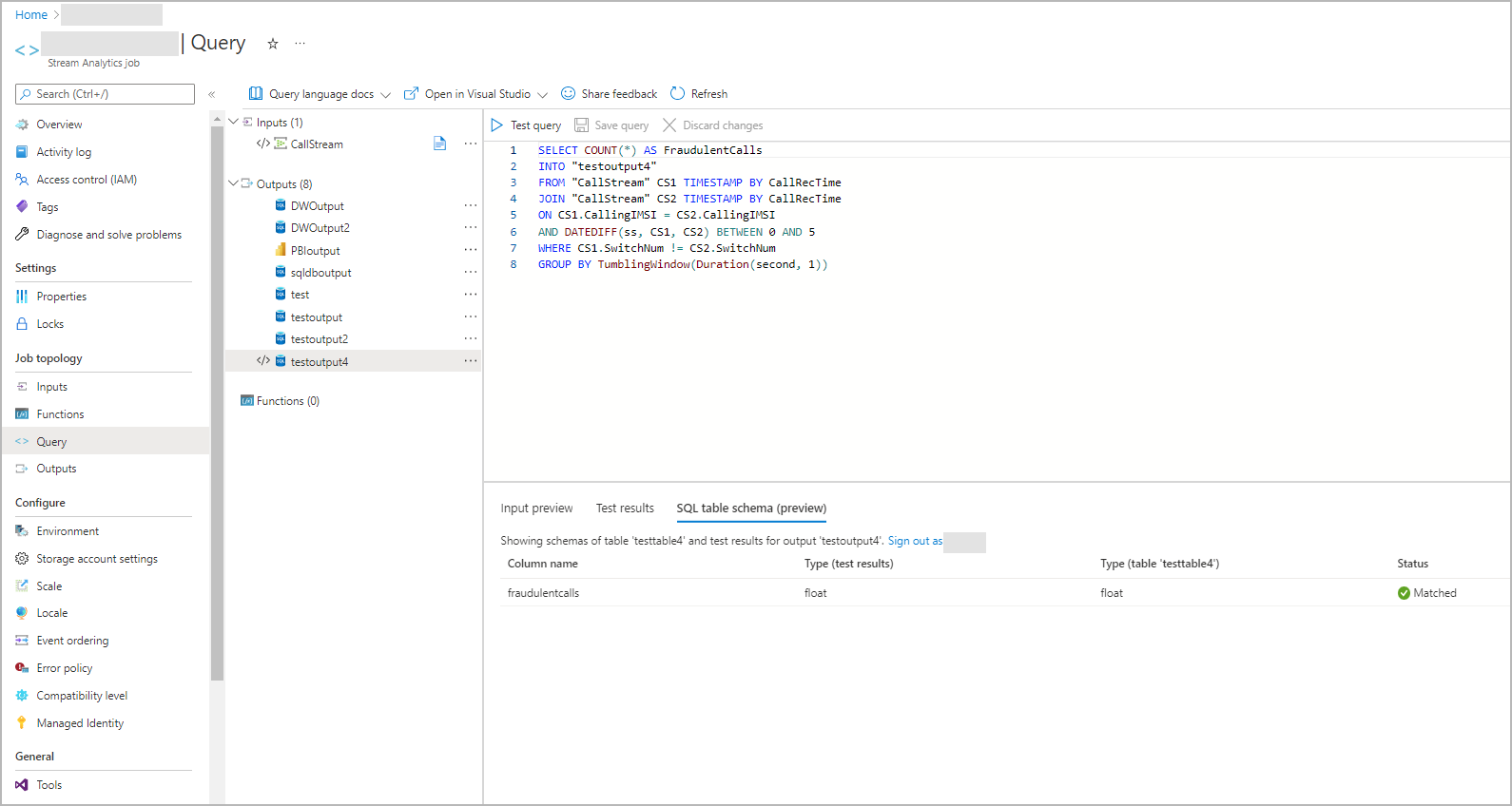
You can also see schema mismatch detection if you want to write output of Stream Analytics query to an existing SQL table. This will prevent job failures due to data/schema mismatch errors. You have to do the following steps:

  1. Make sure that there is incoming streaming data in your Azure Stream Analytics job
  2. Write your Stream Analytics query (or use the existing template of Select *)
  3. Test your Stream Analytics query
  4. Check whether the incoming data type and selected SQL table match or not. If it's not a match, you'll be prompted to update your query to match SQL table schema.

To learn more, visit Write to Azure SQL Database table from your Azure Stream Analytics jobs.