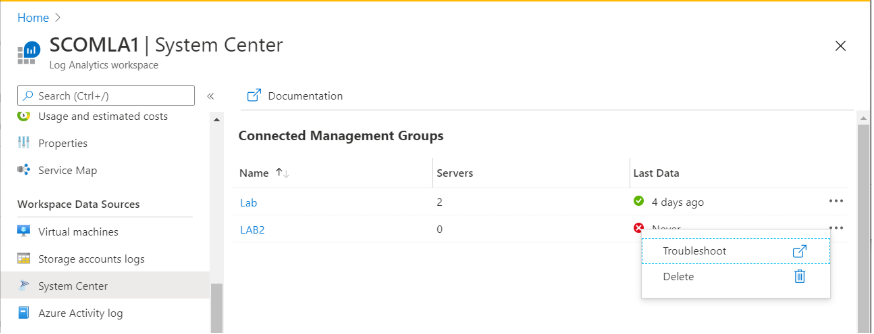
AZlog-analytics-new-system-center-configuration-blade: Log Analytics new System Center configuration blade

Published . Last updated .

Microsoft Azure update AZlog-analytics-new-system-center-configuration-blade.

Azure update ID
AZlog-analytics-new-system-center-configuration-blade
Services
Azure Monitor, Log Analytics
Tags
Features

Release overview

Release status
Launched
General availability
August 2020
Product categories
DevOps, Management and governance

System center configuration now has it’s own dedicated blade in Log Analytics.

To access the new system center configuration blade, go to you Log Analytics Workspace and select “System Center” from the left hand navigation bar, under the “Workspace and data sources” group.

The new system center blade allows visibility and management of SCOM instances connected to your workspace:

SCOM page with actions

To learn more about System center and Log Analytics follow this link.

We appreciate your feedback. If you have questions or suggestions, please email us.