Microsoft Azure update AZannouncing-general-availability-ga-of-manytomany-relationships-in-azure-analysis-services.
Many-to-many relationships in Azure Analysis Services are now generally available. These are relationships between tables where both columns are non-unique, and are based on many-to-many relationships in Power BI.
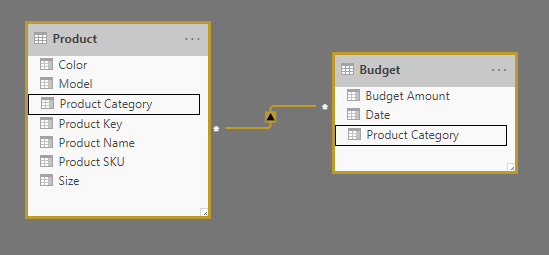
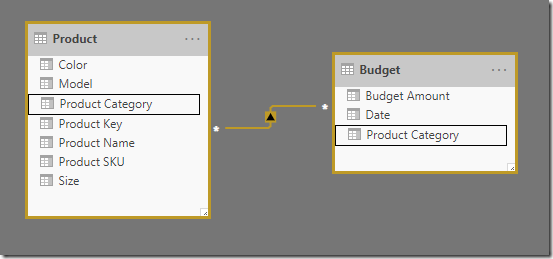
The model resulting from many-to-many relationships has a smaller number of tables with logically grouped columns, improving the user experience and helping to avoid having to normalize dimension tables. The relationship can be defined between a dimension table and a fact table at a granularity higher than the key column of the dimension. For example, if Budget is defined at the Product Category level, it isn't necessary to normalize the Product dimension into separate tables—one at the granularity of Product and the other at the granularity of Product Category.
For more details about many-to-many relationship scenarios, read the documentation.
Create many-to-many relationships by using SQL Server Data Tools or the open-source community tool Tabular Editor. Alternatively, you can use SSAS programming and scripting interfaces such as TOM and TMSL.