Microsoft Azure update AZadf-logs-in-dedicated-tables.
When sending logs to a workspace via Diagnostic Settings, there are two ways the data can show up: Azure Diagnostics and Resource Specific. Azure Diagnostics is the legacy method used by the majority of Azure services. In this mode, all the data will end up in AzureDiagnostics table, with schema being a superset of all different datatypes being emitted to the workspace. Resource Specific will send logs to separate tables created for each category. This allows for optimized experiences with improved ingestion latency and query performance, better discoverability and documentation, and table-specific controls.
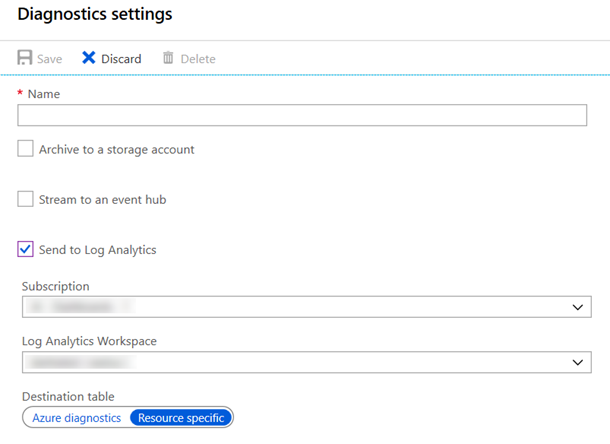
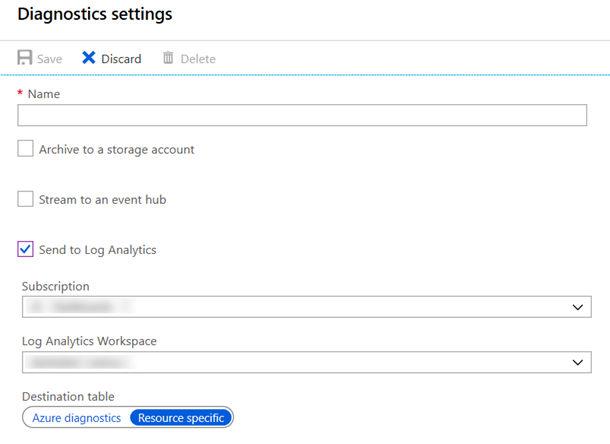
While many services will only allow one of the two methods, given all the advantages offered by the Resource Specific mode, all data types will eventually move to it. Azure Data Factory is the first Azure service previously only available exclusively in Azure Diagnostics mode to now be available in Resource Specific mode! To provide you flexibility around migration and to enable reverse-compatibility scenarios, you will now see the following toggle on the Diagnostic Settings page for Azure Data Factory:
For more details, please see our docs.